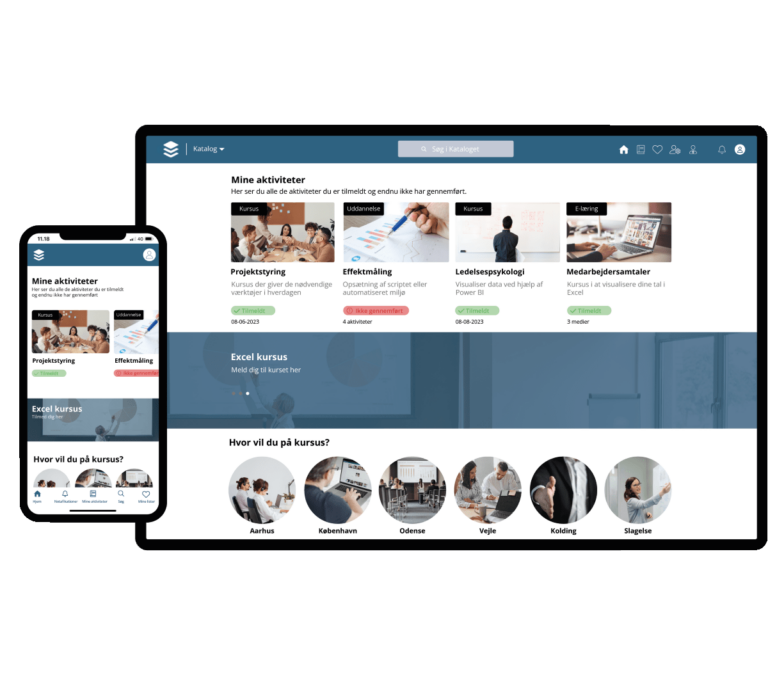
There are many different LMSs to choose from, and it can therefore be a challenge to find the platform that fits your organisation exactly. Below you can read about the factors that may be essential to consider when choosing one. LMS. This will hopefully help you make an informed choice and find the right LMS for your business.
Need
It may be a good idea to identify your needs and set goals for your e-learning before you start researching the many LMSs on the market. You can consider what type of content you want, how many users need access to the system, and what support and features the system needs.
Perhaps you need to build your own learning or be able to create target groups for specific employees. All of this should be considered early in the process.
Costs
Since there are many different LMSs available, there will of course also be a wide range of pricing options. Therefore, you should thoroughly consider the various costs. If it is a license-based model, payment is made via a one-time fee or subscription to be able to use the platform. In a pay-per-user model, payment is based on the number of users who have access to the system. There may also be any additional costs such as support and maintenance that are worth considering.
Functionality
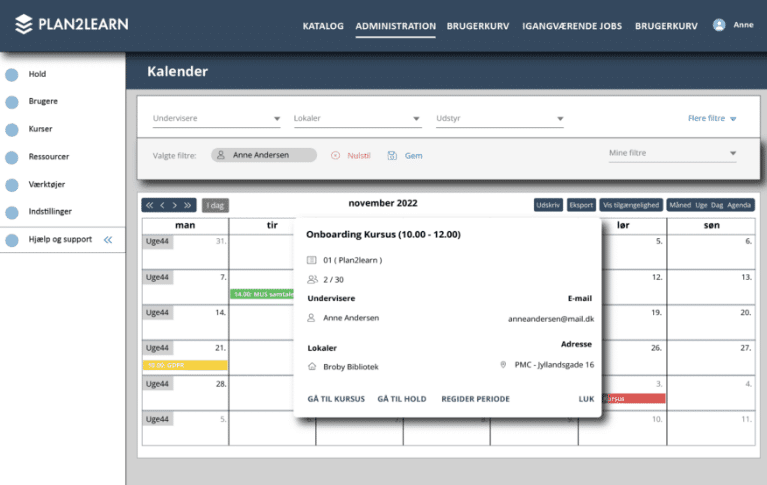
You should consider whether the features that a potential LMS can offer align with your needs and long-term goals. The most common features you should look for are the ability to create and edit courses, the ability to track and report on user activity, and the ability to integrate with other systems.
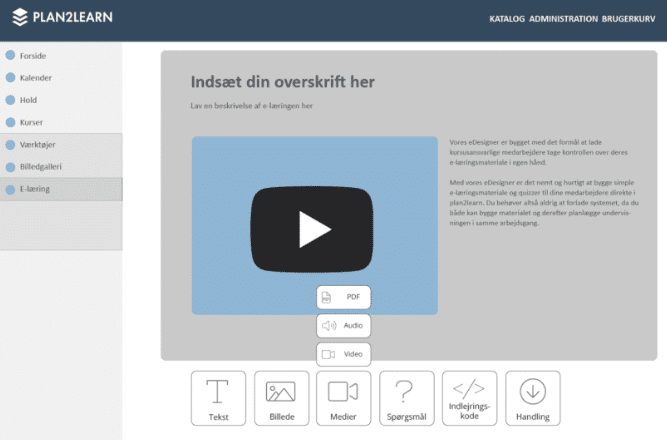
Additionally, it would also be a great advantage if the system allows you to offer different teaching methods to your participants, such as quizzes, videos, and various types of assignments.
It may also be a need for some companies to build their own e-learning platform so that they are not dependent on suppliers. Fortunately, there are several LMSs on the market that offer their own authoring tools., where learning can be built into the platform itself.
Do you need the system to be integrated with other systems or tools that you use in your the organisation? In that case, you should choose the LMS that offers the right integrations. It may also be that you need the system to be able to integrate with CRM software, an HR system, or social media platforms.
User experience
One of the most important things to consider is the user experience. You should prioritize an LMS that is intuitive and user-friendly, both for administrators and users. Therefore, it might be a good idea to ask the provider of an LMS if you can test a demo version. This way, you can have the system in your hands and assess whether it is easy to use.
Another option could be to read reviews from customers who are already using the system. Reviews and feedback from existing users can provide an understanding of what works particularly well and what does not work optimally based on their needs.
Support and training
Investigate what kind of Support and training, This will vary from provider to provider. It may be relevant to check whether training and support for administrators and users are offered, and whether the support department at the provider is easily accessible if problems or questions arise.
Security
Another important factor is the security in an LMS. Ask the provider about the degree of security in their solution. Are there different security features such as data protection, personal information, login and access control, backup and recovery, protection against hacking and malware?
Scalability
Consider whether the system is capable of scaling in connection with future growth and increased e-learning needs in the the organisation. You should choose your upcoming LMS based on how many users it can handle and whether it will be able to handle multiple courses and data without losing performance.
Adaptation
It can be a great bonus for many companies that their LMS can be adapted to their visual identity and brand. Therefore, you should investigate whether a possible LMS has the ability to customize the user interface. This could involve designing a logo, changing colors to match your organisation, and customizing other elements such as banners and images.
Conclusion
The right LMS is of great importance for the efficiency and e-learning strategy of your organisation, and it is therefore crucial that you choose your LMS carefully so that you can meet your needs. It is important to research and consider the above factors such as functionality, costs, user experience, and security.
The actual implementation of the system will also be a resource-intensive process, and therefore you should ensure that the above points are aligned with your organisation.