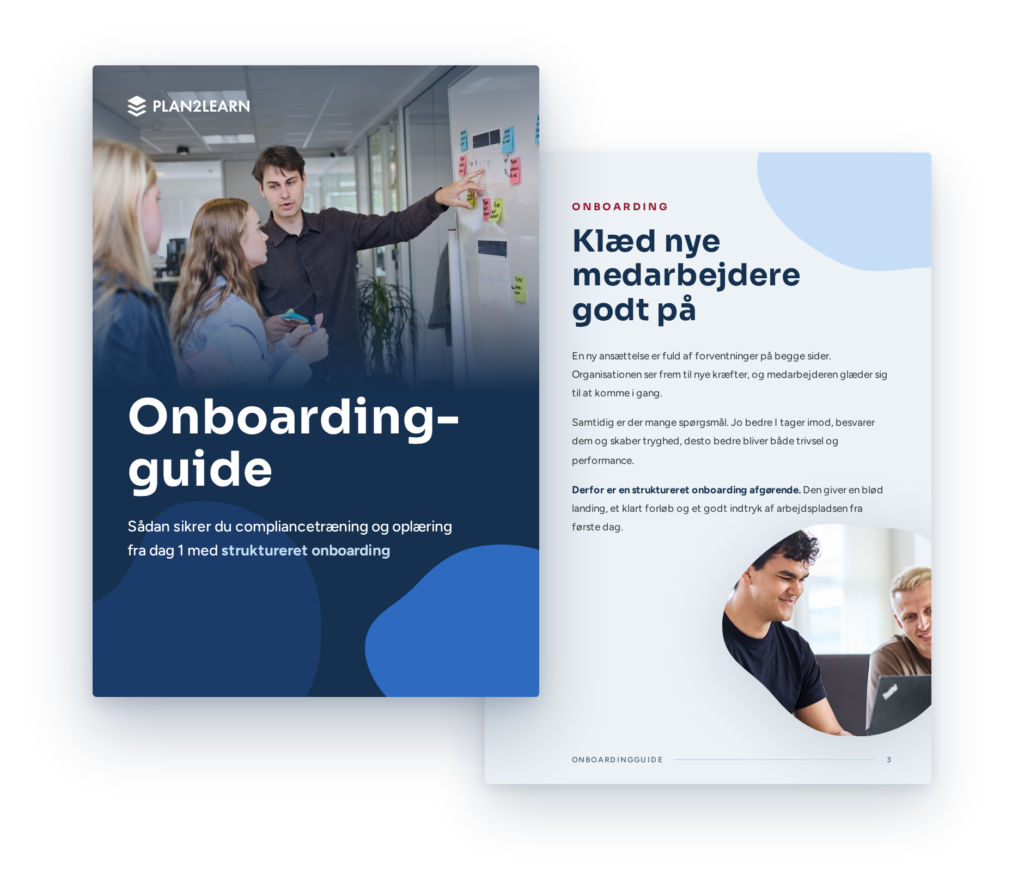
Onboarding
Give new employees a safe start to their job with a personalized and targeted onboarding programme from day one. In our platform, you get one comprehensive solution for all training and onboarding tasks, which is easy to build and customize for onboarding programme processes for different departments, roles, and functions. Courses and learning materials are automatically sent to the right users, and you can track each employee’s progress.
Personal onboarding plan
No manual processes.
Successful onboarding is personal and tailored to each employee, but the planning is often manual. That can lead to uneven standards and a mediocre start to what should be an exciting new chapter.
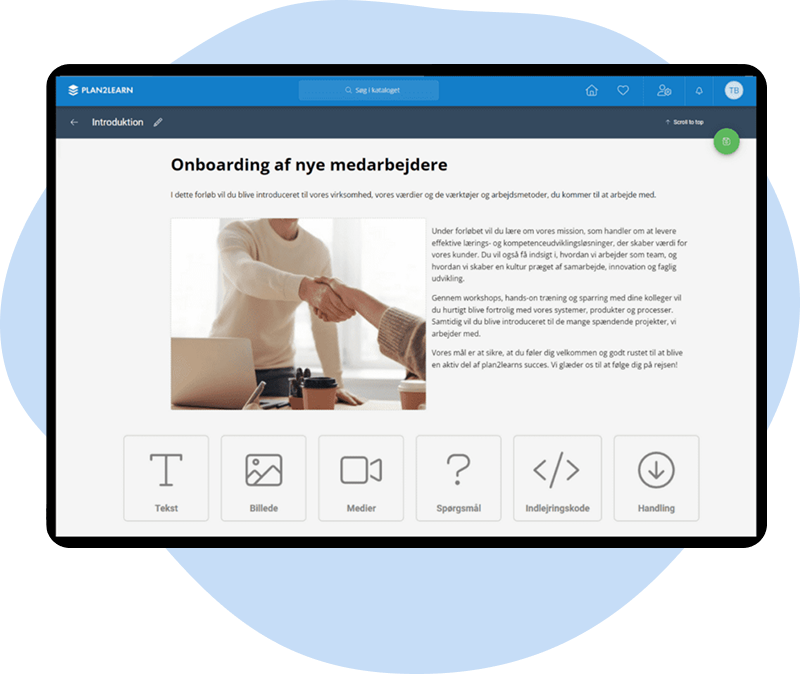
In our platform, the manager or course coordinator builds an onboarding program that is tailored to the new employee. This is done in our eDesigner, where learning materials are compiled directly in the onboarding platform.
How onboarding works in the platform:
- Build personal learning tailored to each employee’s role
- Combine materials with images, video, quizzes and more
- Build your own quizzes with multiple choice, true/false and content types
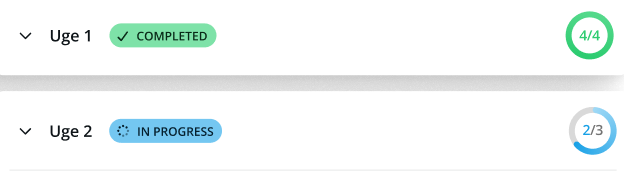
- Follow each employee’s progress in the manager dashboard
Case story: Esbjerg Municipality
Automated onboarding programmes save 1,200 hours.
With Plan2learn, the municipality of Esbjerg has obtained a completely automated onboarding programme process that ensures a smooth start for new employees and saves the municipality 1,200 hours of work annually.
“
“The platform saves us a great deal of manual work, especially since we added the manager module. Each manager can easily see whether an employee has completed the different training programmes or not. Then they can sit down, talk it through with the employee, and offer help or plan the next steps. It’s a brilliant tool for our managers.”
Steen Meyer Larsen, IT Consultant, Esbjerg Municipality
The digital onboarding process currently supports managers’ capacity planning and the structuring of work tasks.
Free onboarding guide
Give your new hires a good start.
A new hire is associated with a lot of expectations. From both parties. Therefore, it is important that the the organisation ensures a smooth transition into the new environment. And a good onboarding process is absolutely essential here.
If you download our guide, you can, among other things, read more about:
• Higher productivity and job satisfaction
• Greater engagement
• Lower staff turnover
A good start. Better retention.
When the onboarding plan is ready from day one, it provides peace of mind for both employees and managers. It creates a strong foundation for development and value creation in the organisation.
Therefore, it makes sense to invest in digitizing and automating onboarding. This eliminates start-up stress and ensures that your employees have the right competencies and prerequisites to perform work tasks that support the organization’s development.
We have saved many organisations hundreds of hours of manual work by digitising their onboarding process.
Automated
administration
Employees who add value
Greater wellbeing
Data overview
How to get started
From set-up to automated onboarding, typically in a few weeks.
Import your organisation
Import your employees and organizational structure directly from your existing systems. Then divide the the organisation into target groups based on position, department, employment date, or other target group parameters. The target groups are updated automatically when the master data changes, so a new employee or job change always takes effect immediately, without anyone having to remember to correct it manually.
Build programmes that make sense
Compile your courses, e-learning, and materials into comprehensive and intuitive onboarding programme paths that reflect the journey an employee must truly go through from day one onwards. Configure sequences and dependencies, and distinguish between mandatory and optional content.
The system enrols and documents automatically
When an employee matches a target group, they are automatically enrolled in the appropriate onboarding programme process. Along the way, the system automatically documents what has been accomplished, so you always have an overview, both when documenting compliance or simply following up on how far new employees have progressed in their onboarding.
Onboarding FAQ
What is onboarding?
Onboarding is the process in which an organisation welcomes a new employee and gives them what they need to get off to a good start. It covers introductions to colleagues, tasks, tools and ways of working. Digital onboarding brings learning, practical information and conversations together in a structured programme that both employee and manager can follow.
Why is onboarding important?
A good start has a direct impact on wellbeing, engagement and how long the new employee stays. When new employees get the right content in the right order, they become independent sooner, and the organisation gets more out of the hire. Structured onboarding also strengthens your reputation as an employer.
Who is responsible for onboarding?
HR typically sets the framework, while the line manager is responsible for each employee’s programme. The course coordinator builds the content. In Plan2learn, each role has its own access, so HR manages the programmes, managers follow their new employees, and employees see their own programme.
How do you build learning content in the platform?
With eDesigner, you build e-learning and quizzes directly in Plan2learn using text, images and video. You can also use material you already have, such as SCORM packages, video, PDFs and audio files. Content and planning happen in the same system, so you never have to switch between tools.
How are the programmes personalised?
Programmes are assigned through target groups, which can be defined by role, department or professional group. Each target group gets its own content in the order you choose. You can split the programme into periods such as the first week, the first month and after three months, and add a personal introduction at the top of the employee’s page.
How does automated task management work?
You can create tasks for yourselves, the manager or others involved, such as ordering equipment or holding a wellbeing check-in. Recurring tasks are saved as templates and reused for every new hire. Plan2learn sends reminders until the task is done, and managers are notified of the employee’s progress and upcoming meetings.
Can Plan2learn handle both classroom courses and e-learning?
Yes. An onboarding programme can combine e-learning, classroom courses, on-the-job training and conversations in one programme. Employees open every activity from their own page, and everything is recorded in the same place, whether it happens online or in person.
Is the platform difficult to implement?
No. We set up the onboarding together with you and help build the first programme so that you get off to a good start. The integration with your existing systems ensures that employee data is entered automatically. Many of our customers who use onboarding in the platform have had quick implementations – as short as 14 days, and they were ready to go.
Which systems does Plan2learn integrate with?
Our platform integrates with most of the systems found in the Danish IT landscape. This creates confidence for our customers, because the platform’s intuitive system becomes a natural extension of the well-known practice.
Therefore, our customers often experience that the systems in the platform can supplement or replace manual processes, saving time and resources that can be invested elsewhere in the business.
We integrate with, among others, economic, Emply, ServiceNow, HubSpot, Microsoft Dynamics and Colibo.
Can onboarding start automatically when we hire someone?
Yes. When a new employee is created in Active Directory or your payroll system, they are also created in Plan2learn and assigned the right programme through target groups. The employee receives an email with a direct link to the programme, and nobody has to enrol anyone manually.
Can the programme be adapted to different roles?
Yes. Each role, department or professional group can have its own programme with the content that is relevant to their work. The same structure can also be used for onboarding new managers. When an employee changes role, they can automatically be given a new programme.
How do managers keep track?
Managers see their new employees’ programmes in the manager overview, with completed and outstanding activities. From here, they can grant credit for prior learning and record completed courses and meetings. Notifications keep them updated on progress and upcoming meetings, and a data export can be used as documentation.
A learning platform built to help people grow
Our platform brings course administration, e-learning, communication and competency development together in one place.
Automated processes save time and resources, and a data-based overview gives you a solid basis for creating more value for the business.
That is why our platform is often used for selling courses, onboarding, employee development and training, large IT implementations and capacity planning.
Explore our products below:
“We soon found that most of our learning material could be adapted to the online format, and now we hope to roll this approach to onboarding out to all our staff. We would also like to expand our e-learning production so we can make the video material ourselves, rather than having it supplied by external providers.”
– Steen Meyer Larsen, Esbjerg Municipality
Would you like to book a call?
Daniel Jakobsen
Head of Sales and Implementation